> For the complete documentation index, see [llms.txt](https://docs.os.uk/more-than-maps/llms.txt). Markdown versions of documentation pages are available by appending `.md` to page URLs; this page is available as [Markdown](https://docs.os.uk/more-than-maps/data-demonstrators/api-demonstrators/os-ngd-api-features.md).
# OS NGD API – Features
## What is OS NGD API – Features?
OS NGD API – Features gives you simple access to the OS National Geographic Database (OS NGD)
OS NGD API – Features allows you to
* Request specific feature types and their attributes using spatial or attribute queries.
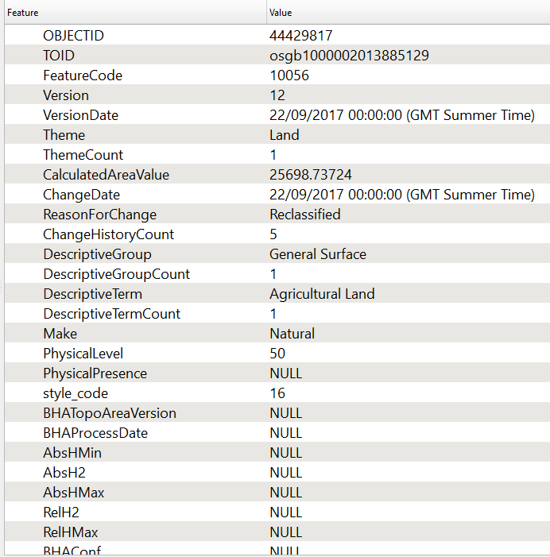
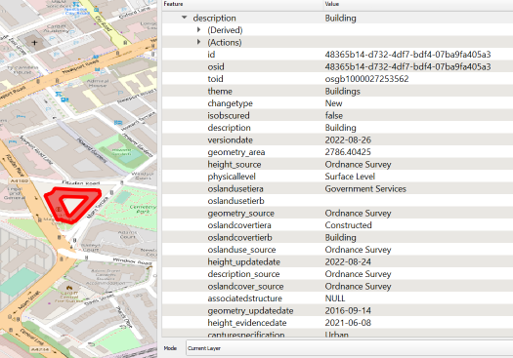
* Interrogate highly detailed feature information.
* Freely discover what data collection are available.
* Explore the data schemas.
* Request data in GeoJSON format.
* Visualise Ordnance Survey data and apply your own styling.
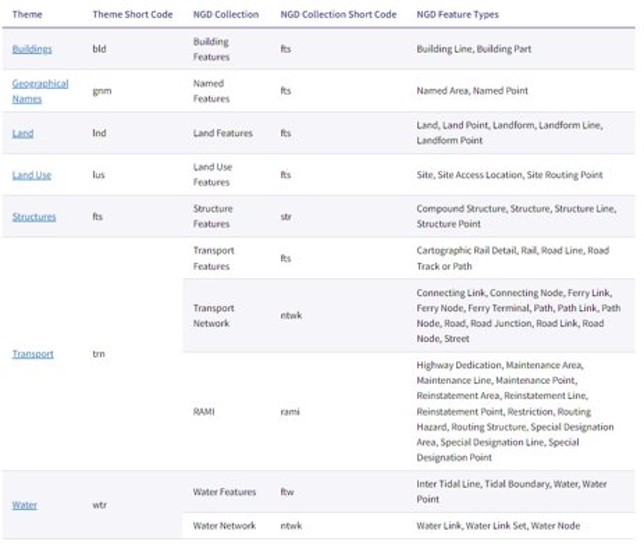
The API uses the same naming convention as OS NGD to allow you to explore themes and collections easily.
The [technical specification](https://docs.os.uk/osngd/getting-started/access-the-os-ngd-api/os-ngd-api-features/technical-specification) on the OS Data Hub goes into detail about the different themes that are accessible.
The API is compliant with OGC API standards.
OS NGD Collections
## How do I access the API?
Get access to the API through the OS Data Hub. The getting started guide can be accessed [here](https://docs.os.uk/osngd/getting-started/access-the-os-ngd-api/os-ngd-api-features/getting-started).
* Your API key can be found in the API Dashboard by clicking ‘Add to Project’ under the OS NGD API – Features section
You will now be able to find the API EndPoint address with your API key under your projects
With your API key you can access the API through GIS Software (such as QGIS and Cadcorp) and through programming languages such as Python and R.
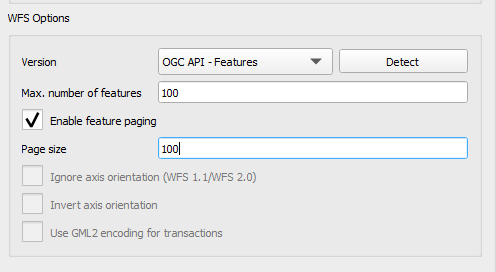
The [getting started guide](https://docs.os.uk/osngd/getting-started/access-the-os-ngd-api/os-ngd-api-features/getting-started/gis-software/qgis) has a walk through on getting the API in QGIS.
Example scripts for getting started with the API can be found online:
* R script for calling the API and outputting a Shiny web app [here](https://github.com/OrdnanceSurvey/osngd-resources/blob/main/jupyter-notebooks/r/shiny/os-ngd-api-features.ipynb)
* Code examples for on OS Labs [here](https://labs.os.uk/public/osngd/os-ngd-api-features/)
## What are the main benefits of the API?
* Plug and play – easily set up in QGIS to explore NGD data
* More flexible – pull in exactly the data you want
* No ordering or waiting – less time processing and storing data
* Easy Testing – great for quick and easy analysis of features
The table below shows the attributes that are available to query against on top of the options available in OS Select+Build.
## How is the OS Features API different to the OS NGD API – Features?
The main difference between the new OS NGD API – Features and the OS Features API is the OS NGD API – Features is for accessing OS NGD data.
OS NGD attribution can be explored through the OS NGD layers found in the OS NGD API – Features API
## Limitations
There are a number of considerations to keep in mind when using the API.
* Limits – the API can return 100 features in a single call. Most GIS software will keep calling the API to bring in the requested features so it is important to set a feature limit when setting up the API. Pagination will be required when using a scripting language, this is explained in the next side.
* Scale – the API is not designed to create a scalable map of Great Britain across zoom levels. It is designed to interrogate specific features and small areas.
* Access – the API does not have the ability to access OS NGD Address Theme, the Administrative & Statistical Theme data or Water Catchments.
## Pagination
The API returns 100 features per page and the JSON response will include the URL for the following page
Most GIS already understand how to page as its part of the OGC standard. So remember to set limits to avoid calling back the entire country.
However, when using a scripting language you will need to page through the results by utilising the offset attribute.
---
# Agent Instructions
This documentation is published with GitBook. GitBook is the documentation platform designed so that both humans and AI agents can read, navigate, and reason over technical content effectively. Learn more at gitbook.com.
## Querying This Documentation
If you need additional information that is not directly available in this page, you can query the documentation by asking a question.
Perform an HTTP GET request on the following URL with the `ask` and `goal` query parameters:
```
GET https://docs.os.uk/more-than-maps/data-demonstrators/api-demonstrators/os-ngd-api-features.md?ask=&goal=
```
`ask` is the immediate question: it should be specific, self-contained, and written in natural language.
`goal` is what the user is ultimately trying to achieve, the reason they need the answer. Sharing it helps GitBook give you a better, more relevant answer. A goal is most helpful when it describes the outcome the user wants rather than restating the question. For example, with `ask=how do I create an API token`, a goal like `automate deployments from our CI pipeline` lets GitBook tailor the answer to that use case.
The response will contain a direct answer to the question and relevant excerpts and sources from the documentation.
Use this mechanism when the answer is not explicitly present in the current page, you need clarification or additional context, or you want to retrieve related documentation sections.