# OS MasterMap Topography Layer Documentation

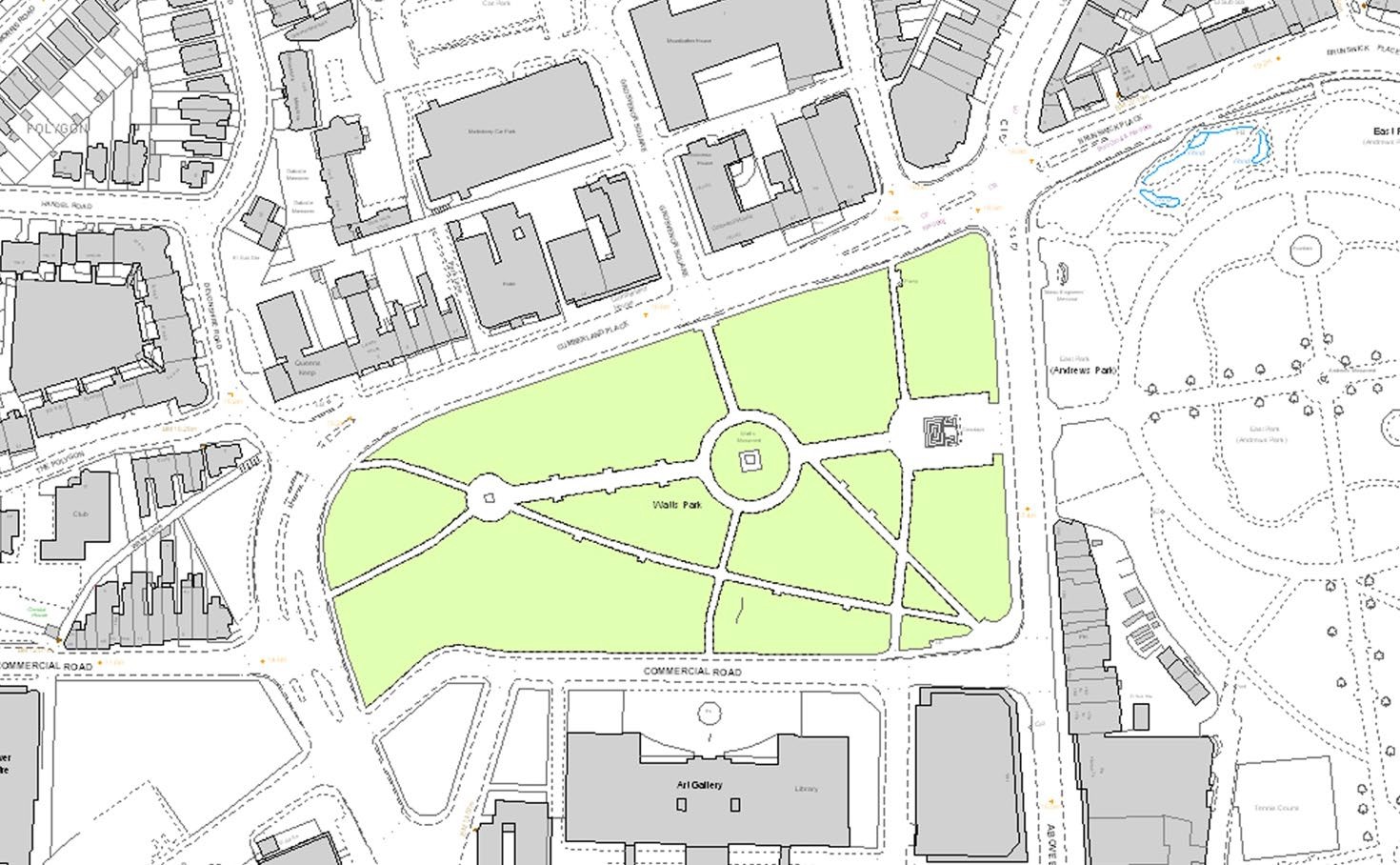
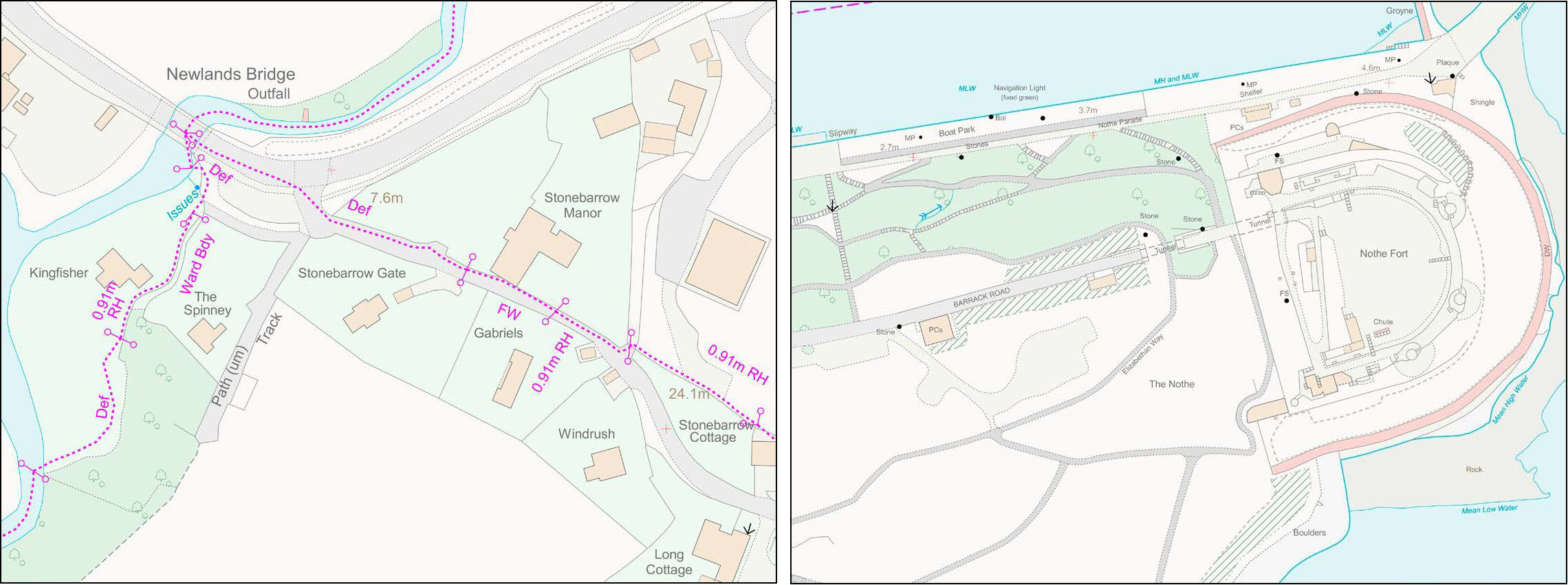
OS MasterMap Topography Layer is the most detailed and accurate view of Great Britain's landscape. It includes features representing the manmade and natural environment, including: land cover, buildings, water, rail, height, heritage, structures, administrative boundaries, and roads, tracks and paths.

{% hint style="info" %}
**This product is updated every six weeks.**
{% endhint %}

<figure><img src="https://1897589978-files.gitbook.io/~/files/v0/b/gitbook-x-prod.appspot.com/o/spaces%2FcNpJpLP8RROUaWVQo5ea%2Fuploads%2FIZKItAmc6tKnek8oegAX%2Fimage.png?alt=media&#x26;token=869ef38b-863b-4cda-8d8e-84d0dc40db6f" alt="A representation of OS MasterMap Topography Layer data showing a map of a Quayside area"><figcaption><p>A representation of OS MasterMap Topography Layer data.</p></figcaption></figure>

The OS MasterMap Topography layer is presented seamlessly with more than 500 million real-world objects – all uniquely identified – including roads, buildings, parks and waterways. All data is managed and maintained by Ordnance Survey within one of the world’s largest spatial databases.​

{% tabs %}
{% tab title="Benefits" %}
**Mapping from the ground up**

OS MasterMap Topography Layer gives you the confidence to make location-based decisions about assets, services, environmental risks, customers and operations.

**Accurate referencing**

All features are assigned a unique Topographic Identifier (TOID) to allow assets to be geo-tagged. This makes it ideal for monitoring assets such as pipelines, pylons, bridges and warehouses.

**Enhanced features**

OS MasterMap Topography Layer includes enhanced features such as Building Height Attribute, enabling users to analyse the built environment, and Sites Layer showing the main points of access to key sites.

**The foundation of the OS MasterMap family**

With OS MasterMap Topography Layer, each feature is a record in a database. Each of these records has information about the feature’s position and shape on Earth – its geometry – as well as details about it termed ‘attributes’. It provides an accurate visual context to help you interpret addresses, routes and imagery provided by the other layers.
{% endtab %}

{% tab title="Use Cases" %}
OS MasterMap Topography Layer can be used in a wide variety of ways, including:

* Improving your data capture processes and the accuracy of your derived data.
* Aiding the visual clarity of data and the visual interpretation of data.
* Achieving consistency and maintainable standards within geographic data holdings.
* Enhancing the queries that can be run on your data and so providing better information for decision making.
* Establishing a common reference between your datasets and data you may wish to share with other organisations.
* Using the products in an integrated manner to derive additional information.
* Identifying and managing change in your area of interest.
* Creating historical views of your area of interest.

A common use for the product is by organisations who have their own GI and wish to examine it in relation to the real world around them. An example would be utility companies that have assets both at surface and below surface level. They frequently need to visit these assets, either for repair, maintenance or to add new assets. By viewing their infrastructure against the features in OS MasterMap Topography Layer, it will help their crews locate the assets and become familiar with the area before they leave their depot, allowing them to provide a better user service by identifying those nearby premises that need to be notified about the works.
{% endtab %}

{% tab title="Summary" %}

* **Access:** Download via the [OS Data Hub](https://osdatahub.os.uk/)
* **Data themes:** Buildings, Land, Land Use, Structures, Transport, Water, Administrative and Statistical Units
* **Data structure:** Vector – Identifiers
* **Coverage:** Great Britain
* **Scale:** 1:1 250 to 1:10 000
* **Format:** GML 2.1.2, GeoPackage, vector tiles
* **Ordering area:** All of Great Britain or customisable area (5km² tiles or user-defined polygon)
  {% endtab %}

{% tab title="Additional Information" %}
**The need for a national topographic dataset**

OS MasterMap Topography Layer was developed in response to the need for a national topographic dataset that offers users a more sophisticated type of data that represented the world in a more realistic way and was more aligned to the increasing use and functionality of GIS and spatial technology with organisations.

**The advantages of TOIDs as a referencing system**

Every feature within OS MasterMap has a TOID (TOpographic IDentifier) as the unique reference. This makes it possible to identify any single feature within the dataset with no ambiguity.

Alternative referencing systems can be subject to interpretation between organisations and users, leading to challenges in accurately matching data when exchanging information with others. TOIDs provide a persistent reference throughout a features lifecycle; even if a feature undergoes change the TOID remains the same. This allows customers to link their own data and track change over time.

Having unique references is essential to making the most out of storing data within a national data repository, as these rely on unique referencing to be able to store, sort, manage, query and retrieve data efficiently.

**Types of real-world objects represented in the Topography Layer**

Please see our [real-world object catalogue (PDF)](https://docs.os.uk/os-downloads/topography/os-mastermap-topography-layer/os-mastermap-topography-layer-downloads#os-mastermap-real-world-object-catalogue). It lists every type of real-world object in the OS MasterMap Topography Layer specification, and details how it is represented by Topography Layer features.

**Accuracy of OS MasterMap Topography Layer**

We define accuracy in three ways:

* **Absolute accuracy** – How closely the coordinates of a point in the dataset agree with the coordinates of the same point on the ground (in the British National Grid reference system).
* **Relative accuracy** – Positional consistency of a data point or feature in relation to other local data points or features within the same or another reference dataset.
* **Geometric fidelity** – The ‘trueness’ of features to the shapes and alignments of the objects they represent when testing the data according to the dataset specification against the ‘real world’ or reference dataset.

**Available scales for OS MasterMap Topography Layer data**

For cartographic representation, OS MasterMap Topography Layer is captured and designed for display at 1:1 250, 1:2 500 and 1:10 000 scales in urban, rural and mountain / moorland areas respectively.

In a GIS, OS MasterMap can be viewed over a considerable range of scales. The most scale-sensitive feature types, such as cartographic text and symbol features, are fixed in size and rapidly become less clear at smaller display scales (that is, when zoomed out).

OS MasterMap Topography Layer is also suitable for use in non–cartographic applications where the concept of scale is less applicable.

**OS MasterMap revision policy**

[View the OS MasterMap revision policy](https://www.ordnancesurvey.co.uk/products/os-mastermap-revision-policy) – Read information about our policy for updating large-scale data that directly affects OS MasterMap Topography Layer, learn how we prioritise revision activity, and view the currency, definition, and criteria of categories of change.
{% endtab %}

{% tab title="Guides" %}
We recommend you read the following guides:

* [Getting Started with GeoPackage](https://docs.os.uk/os-downloads/resources/product-resources/getting-started-with-geopackage-and-vector-tiles-guides/getting-started-with-geopackage)
* [Getting Started with Vector Tiles](https://docs.os.uk/os-downloads/resources/product-resources/getting-started-with-geopackage-and-vector-tiles-guides/getting-started-with-vector-tiles)

Additional information and guidance about geographic information systems (GIS) is available on the ['What is GIS?' page of the OS website](https://www.ordnancesurvey.co.uk/gis).
{% endtab %}
{% endtabs %}

## How to get this product

Access to this product is free for PSGA (Public Sector Geospatial Agreement) Members. You can [check if your organisation is a member of the PSGA on the OS website](https://www.ordnancesurvey.co.uk/customers/public-sector/psga-member-finder).

The [OS MasterMap Topography Layer product page on the OS website](https://www.ordnancesurvey.co.uk/products/os-mastermap-topography-layer) has advice on how to get the product for developers, businesses, OS Partners and PSGA Members (i.e. government and the public sector).

## Sample data

### Download OS MasterMap Topography Layer sample data <a href="#download-os-egs-sample-data" id="download-os-egs-sample-data"></a>

You can download sample data for the product for free from the [OS Data Hub](https://osdatahub.os.uk/data/downloads/sample/MMTOPO). The sample data is available in GML 3.2 format and covers three areas (Exeter, Newport and Inverness).

### Visualise OS MasterMap Topography Layer sample data online

This product is available to try out free online using one of our three sets of sample data (Exeter, Newport and Inverness) through the OS MasterMap Product Viewer:

<table data-view="cards" data-full-width="false"><thead><tr><th></th><th></th><th data-hidden></th><th data-hidden data-card-cover data-type="image">Cover image</th><th data-hidden data-card-target data-type="content-ref"></th></tr></thead><tbody><tr><td><strong>OS MasterMap Product Viewer</strong></td><td>Interactive demonstrator of OS MasterMap Generation data</td><td></td><td data-object-fit="cover" data-alt="Example image showing OS VectorMap Local product data over an urban area."><a href="https://1897589978-files.gitbook.io/~/files/v0/b/gitbook-x-prod.appspot.com/o/spaces%2FcNpJpLP8RROUaWVQo5ea%2Fuploads%2Fuld7V42IKrB8ovpC1JXB%2FVectorMap-Local-1.png?alt=media&#x26;token=cb3e8ae9-d669-4bc9-b7a7-5f479d780447">VectorMap-Local-1.png</a></td><td><a href="https://experience.arcgis.com/experience/20981dabcb14402687dccb437a4a78fb/">https://experience.arcgis.com/experience/20981dabcb14402687dccb437a4a78fb/</a></td></tr></tbody></table>

## Other ways to access this data

OS MasterMap Topography Layer data is available through our [OS Features API](https://docs.os.uk/os-apis/accessing-os-apis/os-features-api), providing location-based insights combining topography data with buildings, transport, and water layer data to create finely detailed datasets with a high degree of accuracy. [Visit the OS API docs site](https://docs.os.uk/os-apis) to unlock programmatic access to rich geospatial data and integrate OS data and services into your applications.

Access to OS MasterMap Topography Layer data is also available through multiple [OS NGD Themes](https://docs.os.uk/osngd). Designed to create interoperable datasets of geospatial data for Great Britain, the OS NGD delivers improved data structures, increased currency of data supply, and enhanced metadata for customers accessing OS data. OS MasterMap Topography Layer data is available to customers in the following OS NGD themes:

* [**OS NGD Land Theme**](https://docs.os.uk/osngd/data-structure/land) **–** A collection of point, line, and polygon features depicting land cover information showing manmade and natural features.
* [**OS NGD Land Use Theme**](https://docs.os.uk/osngd/data-structure/land-use) **–** Includes features which are geographical representations of areas identified as having a specific purpose (such as schools, universities, and caravan parks).
* [**OS NGD Structures Theme**](https://docs.os.uk/osngd/data-structure/structures) **–** Contains manmade structures that are not occupied buildings, such as clock towers, bridges, arches, and bandstands.
* [**OS NGD Water Theme**](https://docs.os.uk/osngd/data-structure/water) **–** A theme containing both the topographic and network representations of water features across Great Britain.
* [**OS NGD Administrative and Statistical Units Theme**](https://docs.os.uk/osngd/data-structure/administrative-and-statistical-units) **–** Provides a definitive dataset of administrative and electoral boundaries and their names for England, Wales and Scotland.

Many themes have been enriched with additional information and data that many users will find more accessible and easier to use with databases and GIS software. [Visit the OS NGD docs site](https://docs.os.uk/osngd) to discover how to access the OS NGD and learn what's available to users.

## What's next?

To access additional documentation and resources relating to this product, please refer to the following:

<table data-view="cards"><thead><tr><th></th><th></th><th data-hidden data-card-cover data-type="image">Cover image</th><th data-hidden data-card-target data-type="content-ref"></th></tr></thead><tbody><tr><td><h4>OS MasterMap Product lightning talks</h4></td><td>Helpful introductory articles hosted on our More than Maps platform providing information and context on using OS MasterMap products.</td><td data-object-fit="cover" data-alt="Example image showing OS MasterMap Topography Layer product data over a background map."><a href="https://1897589978-files.gitbook.io/~/files/v0/b/gitbook-x-prod.appspot.com/o/spaces%2FcNpJpLP8RROUaWVQo5ea%2Fuploads%2FNc7POWjVJ0fgKzV7f8oA%2FMasterMap-Topography-And-Sites-2.png?alt=media&#x26;token=b83f9c10-e47c-4c0f-a4e0-7db9df8d5e40">MasterMap-Topography-And-Sites-2.png</a></td><td><a href="https://docs.os.uk/more-than-maps/data-demonstrators/topography-demonstrators/os-mastermap-r-demonstrators">https://docs.os.uk/more-than-maps/data-demonstrators/topography-demonstrators/os-mastermap-r-demonstrators</a></td></tr><tr><td><strong>Overview</strong></td><td>The overview introduces OS MasterMap Topography Layer and gives context for all users – highlighting key features, providing examples of uses, and listing details such as file sizes, formats, etc.</td><td data-object-fit="cover" data-alt="Example image showing OS MasterMap Topography Layer product data over a background map."><a href="https://1897589978-files.gitbook.io/~/files/v0/b/gitbook-x-prod.appspot.com/o/spaces%2FcNpJpLP8RROUaWVQo5ea%2Fuploads%2FOsGVrNRafNfYhRfqqt89%2FMasterMap-Topography-1.png?alt=media&#x26;token=e8830aa2-6042-4a49-910f-e732614e3568">MasterMap-Topography-1.png</a></td><td><a href="os-mastermap-topography-layer/os-mastermap-topography-layer-overview">os-mastermap-topography-layer-overview</a></td></tr><tr><td><strong>Getting Started Guide</strong></td><td>The getting started guide provides instructions for using OS MasterMap Topography Layer in different software applications. Users with limited technical knowledge will be able to follow this guide.</td><td data-object-fit="cover" data-alt="Example image showing OS MasterMap Topography Layer product data over a background map."><a href="https://1897589978-files.gitbook.io/~/files/v0/b/gitbook-x-prod.appspot.com/o/spaces%2FcNpJpLP8RROUaWVQo5ea%2Fuploads%2FXtcdtGBBTnkfUjkeQZ3J%2FMasterMap-Topography-3.png?alt=media&#x26;token=1aa302f9-10a0-4dbd-b8a5-ac47b83905a9">MasterMap-Topography-3.png</a></td><td><a href="os-mastermap-topography-layer/os-mastermap-topography-layer-getting-started-guide">os-mastermap-topography-layer-getting-started-guide</a></td></tr><tr><td><strong>Getting Started with Styling Guide</strong></td><td>The styling guide describes the Ordnance Survey post-processing styling method and the related resources, showing you how to use these resources in various geographical information systems (GIS).</td><td data-object-fit="cover" data-alt="Example image showing OS MasterMap Topography Layer product data over a background map."><a href="https://1897589978-files.gitbook.io/~/files/v0/b/gitbook-x-prod.appspot.com/o/spaces%2FcNpJpLP8RROUaWVQo5ea%2Fuploads%2FgA6llhVE2lkpsJB9r0rV%2Fspaces_cNpJpLP8RROUaWVQo5ea_uploads_l5gHCR48k27dx1UN6UhQ_2.jpeg?alt=media&#x26;token=9ebdd214-9cfa-49e1-a70d-bf7ac35baa3b">spaces_cNpJpLP8RROUaWVQo5ea_uploads_l5gHCR48k27dx1UN6UhQ_2.jpeg</a></td><td><a href="os-mastermap-topography-layer/os-mastermap-topography-layer-getting-started-with-styling-guide">os-mastermap-topography-layer-getting-started-with-styling-guide</a></td></tr><tr><td><strong>Standard Styling Specification</strong></td><td>Ordnance Survey has produced a Standard Styling Specification for OS MasterMap, providing a distinct set of fonts, colours, fill styles and symbols.</td><td data-object-fit="cover" data-alt="Example image showing styling options for OS MasterMap Topography Layer product data."><a href="https://1897589978-files.gitbook.io/~/files/v0/b/gitbook-x-prod.appspot.com/o/spaces%2FcNpJpLP8RROUaWVQo5ea%2Fuploads%2FITAmyvR0Z6DmzDYrrT79%2Fspaces_cNpJpLP8RROUaWVQo5ea_uploads_EoveXVXk9ozjvF4iBFXL_1.png?alt=media&#x26;token=a6b40deb-462f-4e7b-b256-aa970a4e2c96">spaces_cNpJpLP8RROUaWVQo5ea_uploads_EoveXVXk9ozjvF4iBFXL_1.png</a></td><td><a href="os-mastermap-topography-layer/os-mastermap-topography-layer-standard-styling-specification">os-mastermap-topography-layer-standard-styling-specification</a></td></tr><tr><td><strong>Technical Specification</strong></td><td>The technical specification provides detailed technical information about OS MasterMap Topography Layer. It is targeted at technical users and software developers.</td><td data-object-fit="cover" data-alt="Example image showing OS MasterMap Topography Layer product data over a background map."><a href="https://1897589978-files.gitbook.io/~/files/v0/b/gitbook-x-prod.appspot.com/o/spaces%2FcNpJpLP8RROUaWVQo5ea%2Fuploads%2FBRSvrrAneUPRlQsOkKpc%2FMasterMap-Topography-4.png?alt=media&#x26;token=b5805c3b-e351-4f54-a9d0-3332fa267bd5">MasterMap-Topography-4.png</a></td><td><a href="os-mastermap-topography-layer/os-mastermap-topography-layer-technical-specification">os-mastermap-topography-layer-technical-specification</a></td></tr><tr><td><strong>Downloads</strong></td><td>Provides links and resources to support the application of OS MasterMap Topography Layer within your environment.</td><td data-object-fit="cover" data-alt="Example image showing OS MasterMap Topography Layer product data over a background map."><a href="https://1897589978-files.gitbook.io/~/files/v0/b/gitbook-x-prod.appspot.com/o/spaces%2FcNpJpLP8RROUaWVQo5ea%2Fuploads%2Fow501HOu9mJc6a8Lp9GV%2FMasterMap-Topography-6.png?alt=media&#x26;token=2cd76df6-4f07-4087-af73-520df8f6f73e">MasterMap-Topography-6.png</a></td><td><a href="os-mastermap-topography-layer/os-mastermap-topography-layer-downloads">os-mastermap-topography-layer-downloads</a></td></tr><tr><td><strong>Ordnance Survey Website</strong></td><td>View OS MasterMap Topography Layer product information and find out how to get this product on the OS website.</td><td></td><td><a href="https://www.ordnancesurvey.co.uk/products/os-mastermap-topography-layer">https://www.ordnancesurvey.co.uk/products/os-mastermap-topography-layer</a></td></tr></tbody></table>

{% hint style="info" %}
New users should start with the Overview to gain high-level insight into the product. The Getting Started Guide will help you to begin using product data in different software systems. The Technical Specification contains detailed technical insights.
{% endhint %}