> For the complete documentation index, see [llms.txt](https://docs.os.uk/os-downloads/llms.txt). Markdown versions of documentation pages are available by appending `.md` to page URLs; this page is available as [Markdown](https://docs.os.uk/os-downloads/products/maps-and-imagery-portfolio/os-vectormap-local/os-vectormap-local-technical-specification.md).
# OS VectorMap Local Technical Specification
This technical specification provides detailed technical information about OS VectorMap Local. It is targeted at technical users and software developers.
OS VectorMap Local is a mapping dataset designed for providing contextual mapping output on paper, PCs, hand-held devices or the Internet. The vector format of the product consists of layers to enable you to customise and style the output to suit your needs.
The product is generated automatically from the OS Large-Scale Topographic Database with no manual cartographic input. This database is used to update other OS products, including [OS MasterMap Topography Layer](broken://pages/86t0HHw73LlkkeXCGJSv).
This Technical Specification contains detailed technical information about the data in both raster and vector formats. For basic information required to understand and use OS VectorMap Local, please refer to the [product overview page](/os-downloads/products/maps-and-imagery-portfolio/os-vectormap-local/os-vectormap-local-overview.md).
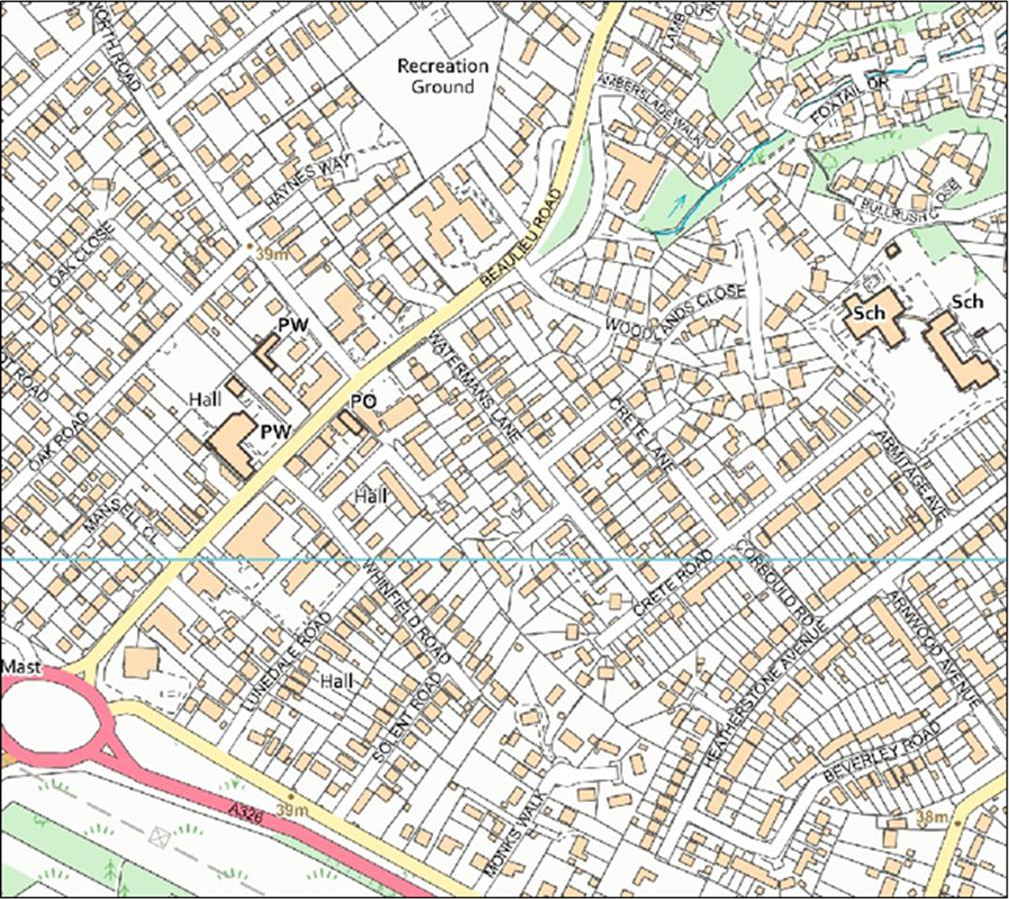
OS VectorMap Local Full Colour Raster map example.
## Vector data
### Available formats
OS VectorMap Local is available in three vector formats:
* Geography Markup Language (GML) 3.2.1
* GeoPackage
* Vector tiles (MBTiles)
These file formats contain a set of features and identifiers which conform to the data structures outlined in the following sub-sections.
## Identifiers
In OS VectorMap Local vector data for GML, vector tiles and GeoPackage formats, each feature is given a unique identifier: a featureID. The featureIDs are maintained between iterations. For GML only, this allows feature-level change-only updates (COUs) to be delivered. The COUs will consist of a selection of inserts and deletes related to real-world and generalisation generated change (see the [GML overview](/os-downloads/products/maps-and-imagery-portfolio/os-vectormap-local/os-vectormap-local-technical-specification/gml-overview.md) page of this document for more information). Vector tiles and GeoPackage formats do not have a COU option.
## UML class diagrams and table conventions
The data structure is described below by means of unified modelling language (UML) class diagrams and accompanying tables containing text. The UML diagrams conform to the approach specified in the ISO 19103 Conceptual Schema.
Colour conventions have been used in the diagrams and tables to distinguish the properties that have been added in this specification. In the UML class diagrams, feature types in the Ordnance Survey product specification are coloured orange. The tables which follow in this Technical Specification use orange for a feature type, blue for a code list and purple for a data type.
### Stereotypes
The following stereotypes are used on UML elements:
#### *The stereotypes used on UML elements.*
| Stereotype | UML element | Description |
| ----------- | ----------- | -------------------------------------------------------------------------- |
| FeatureType | Class | A spatial object type \[ISO 19136]. |
| Codelist | Class | A controlled set of values for a free text data type that may be extended. |
| DataType | Class | Structured data type. |
## Index
* [GeoPackage overview](/os-downloads/products/maps-and-imagery-portfolio/os-vectormap-local/os-vectormap-local-technical-specification/geopackage-overview.md)
* [GML Overview](/os-downloads/products/maps-and-imagery-portfolio/os-vectormap-local/os-vectormap-local-technical-specification/gml-overview.md)
* [Raster data](/os-downloads/products/maps-and-imagery-portfolio/os-vectormap-local/os-vectormap-local-technical-specification/raster-data.md)
* [Feature types](/os-downloads/products/maps-and-imagery-portfolio/os-vectormap-local/os-vectormap-local-technical-specification/feature-types.md)
* [Code lists](/os-downloads/products/maps-and-imagery-portfolio/os-vectormap-local/os-vectormap-local-technical-specification/code-lists.md)
* [Structured data types](/os-downloads/products/maps-and-imagery-portfolio/os-vectormap-local/os-vectormap-local-technical-specification/structured-data-types.md)
* [Feature codes and descriptions](/os-downloads/products/maps-and-imagery-portfolio/os-vectormap-local/os-vectormap-local-technical-specification/feature-codes-and-descriptions.md)
* [Vector tiles overview](/os-downloads/products/maps-and-imagery-portfolio/os-vectormap-local/os-vectormap-local-technical-specification/vector-tiles-overview.md)
* [Important Buildings classification](/os-downloads/products/maps-and-imagery-portfolio/os-vectormap-local/os-vectormap-local-technical-specification/important-buildings-classification.md)
---
# Agent Instructions
This documentation is published with GitBook. GitBook is the documentation platform designed so that both humans and AI agents can read, navigate, and reason over technical content effectively. Learn more at gitbook.com.
## Querying This Documentation
If you need additional information that is not directly available in this page, you can query the documentation by asking a question.
Perform an HTTP GET request on the following URL with the `ask` and `goal` query parameters:
```
GET https://docs.os.uk/os-downloads/products/maps-and-imagery-portfolio/os-vectormap-local/os-vectormap-local-technical-specification.md?ask=&goal=
```
`ask` is the immediate question: it should be specific, self-contained, and written in natural language.
`goal` is what the user is ultimately trying to achieve, the reason they need the answer. Sharing it helps GitBook give you a better, more relevant answer. A goal is most helpful when it describes the outcome the user wants rather than restating the question. For example, with `ask=how do I create an API token`, a goal like `automate deployments from our CI pipeline` lets GitBook tailor the answer to that use case.
The response will contain a direct answer to the question and relevant excerpts and sources from the documentation.
Use this mechanism when the answer is not explicitly present in the current page, you need clarification or additional context, or you want to retrieve related documentation sections.