> For the complete documentation index, see [llms.txt](https://docs.os.uk/osngd/llms.txt). Markdown versions of documentation pages are available by appending `.md` to page URLs; this page is available as [Markdown](https://docs.os.uk/osngd/getting-started/downloading-with-os-select+build/getting-started-with-os-recommended-recipes/town-and-city-planning-recipe-guide.md).

# Town and city planning recipe guide

A guide with detailed step-by-step instructions outlining how you can create a recipe in OS Select+Build to identify the level of access to natural areas from existing addresses.

## What is the town and city planning recipe? <a href="#what-is-the-greenspace-recipe" id="what-is-the-greenspace-recipe"></a>

The guide below provides a geospatial toolkit to help you identify the level of access to natural areas from existing addresses, both residential and commercial; its step-by-step instructions outline how to select relevant pieces of addressing, administrative and statistical units, buildings, geographical names, land use and water data from the OS NGD and weave them into a recipe.

You can adapt the suggested town and city planning recipe at the recipe creation or editing stage so that it fully meets your needs. No filters are used in this recipe (you can filter the data later on in your GIS of choice).

{% hint style="info" %}

## Definition

For this recipe guide, we define a **natural area** as a location where a member of the public can access an unbuilt area for the purpose of leisure; this includes playing fields, parks, woodland, grassland, trails and rivers.
{% endhint %}

### Use cases

The recipe will be useful for town and city planners who want to assess access to natural areas from existing commercial and residential addresses, and provide evidence to help inform compliance with Natural England's [Green Infrastructure Framework](https://designatedsites.naturalengland.org.uk/GreenInfrastructure/Home.aspx). Access to natural areas for residential properties should ideally be available within a radius of 300m (roughly a 5 minute walk).

### Feature types required

The following 10 feature types are included in the town and city planning recipe:

| Theme                                       | Collection           | Feature Type(s)                                                                                                                                                                                                                                           |
| ------------------------------------------- | -------------------- | --------------------------------------------------------------------------------------------------------------------------------------------------------------------------------------------------------------------------------------------------------- |
| OS NGD Address                              | OS GB Address        | [Built Address](/osngd/data-structure/address/gb-address/built-address.md#primaryclassificationdescription)                                                                                                                                               |
| OS NGD Administrative and Statistical Units | OS Boundaries        | [Parish Or Community](/osngd/data-structure/administrative-and-statistical-units/boundaries/parish-or-community.md) and [Upper Tier Local Authority](/osngd/data-structure/administrative-and-statistical-units/boundaries/upper-tier-local-authority.md) |
| OS NGD Administrative and Statistical Units | OS Functional Areas  | [Retail Area Major ](/osngd/data-structure/administrative-and-statistical-units/functional-areas/retail-area-major.md)and [Retail Area Minor](/osngd/data-structure/administrative-and-statistical-units/functional-areas/retail-area-minor.md)           |
| OS NGD Buildings                            | OS Building Features | [Building](/osngd/data-structure/buildings/building-features/building.md)                                                                                                                                                                                 |
| OS NGD Geographical Names                   | OS Named Features    | [Named Area](/osngd/data-structure/geographical-names/named-features/named-area.md)                                                                                                                                                                       |
| OS NGD Land Use                             | OS Land Use Features | [Site](/osngd/data-structure/land-use/land-use-features/site.md) and [Site Access Location](/osngd/data-structure/land-use/land-use-features/site-access-location.md)                                                                                     |
| OS NGD Water                                | OS Water Features    | [Water](/osngd/data-structure/water/water-features/water.md)                                                                                                                                                                                              |

## Creating the recipe

To create the town and city planning recipe in OS Select+Build:

{% stepper %}
{% step %}

### Log into your [OS Data Hub account](https://osdatahub.os.uk/)

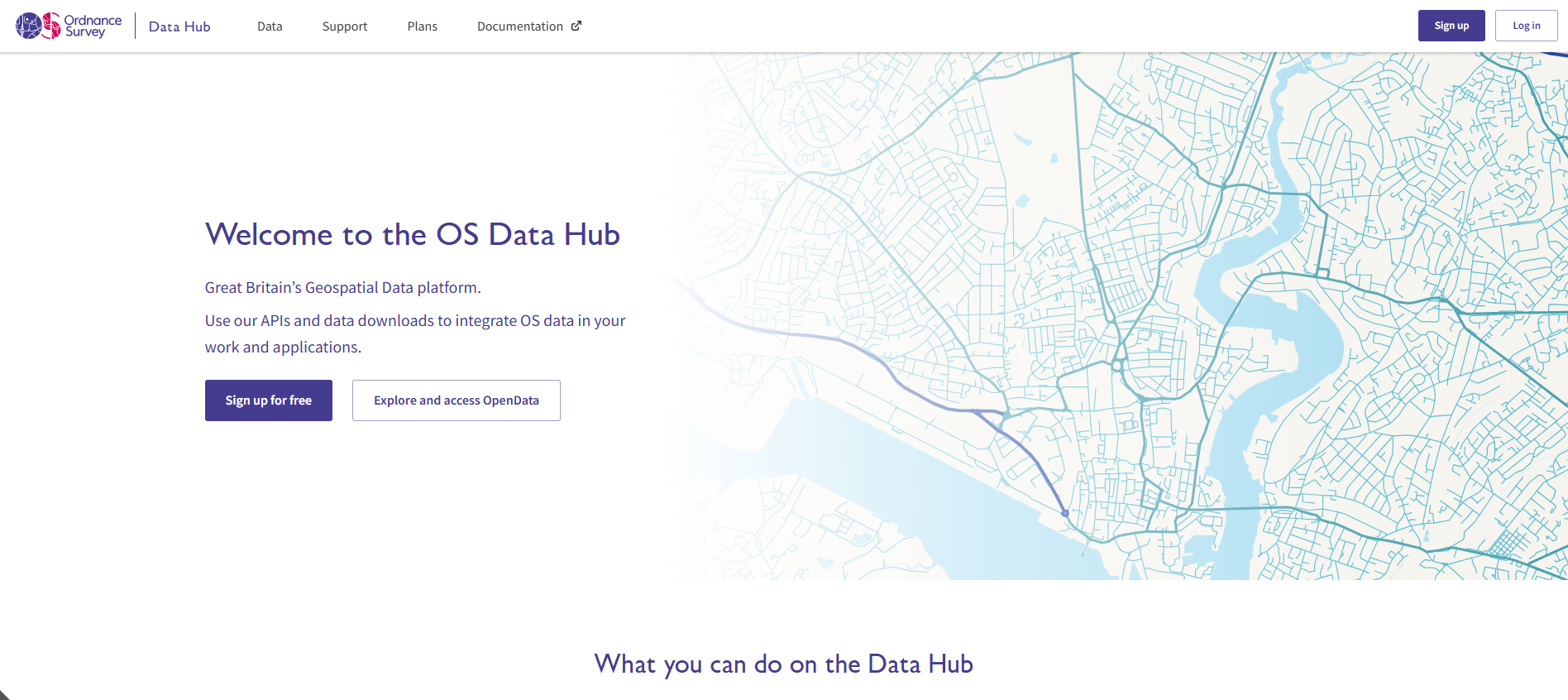
Click *Log in* on the OS Data Hub menu bar to log into your account.

<figure><img src="https://170091638-files.gitbook.io/~/files/v0/b/gitbook-x-prod.appspot.com/o/spaces%2F0pZjHxkAvY7Mn6TqFBMD%2Fuploads%2F1Gd3vBvSOqXLYTPpZsO9%2Fimage.png?alt=media&amp;token=afd47dd4-6005-4d33-a8ef-ec6540a138fb" alt="A screenshot of the OS Data Hub home page showing the sign up and log in buttons in the top right hand corner" width="563"><figcaption><p>Screenshot showing the OS Data Hub homepage.</p></figcaption></figure>
{% endstep %}

{% step %}

### Navigate to the OS Data Hub workspace

Select *Data* from the menu bar to view your workspace.
{% endstep %}

{% step %}

### Navigate to the OS Select+Build Recipe Library

Choose *Downloads* > *OS Select+Build Recipe Library* from the left-hand-side secondary navigation menu.

<figure><img src="https://170091638-files.gitbook.io/~/files/v0/b/gitbook-x-prod.appspot.com/o/spaces%2F0pZjHxkAvY7Mn6TqFBMD%2Fuploads%2FamiHxVEA8ivdYWmhdcR0%2FScreenshot%20Recipe%20Library.png?alt=media&amp;token=1bd9e5df-cb7d-45c5-8f08-3c1ab13b25f1" alt="Screenshot of the OS Select+Build Recipe Library screen in the OS Data Hub."><figcaption><p>Screenshot of the OS Select+Build Recipe Library screen in the OS Data Hub.</p></figcaption></figure>
{% endstep %}

{% step %}

### Choose Create a new recipe

Click the *Create a new recipe* button at the top right-hand side of the screen.
{% endstep %}

{% step %}

### Give the recipe a name and description

* Give your recipe a descriptive name in the *Recipe name* dialog box on the left-hand side of the screen.
* Add a detailed description for your recipe (this is optional, but it's useful if other team members will be accessing it).
  {% endstep %}

{% step %}

### Select the feature types

Select your OS NGD data by choosing the themes, collections and feature types you want to include in your recipe. You'll need to select the following 10 feature types from the *Themes* panel on the left-hand side of the screen:&#x20;

* Built Address (found within *Address* > *GB Address* > *Built Address*)
* Parish Or Community (found within *Administrative and Statistical Units* > *Boundaries* > *Parish Or Community*)
* Upper Tier Local Authority (found within *Administrative and Statistical Units* > *Boundaries* > *Upper Tier Local Authority*)
* Retail Area Major (found within *Administrative and Statistical Units* > *Functional Areas* > *Retail Area Major*)
* Retail Area Minor (found within *Administrative and Statistical Units* > *Functional Areas* > *Retail Area Minor*)
* Building (found within *Buildings* > *Building Features* > *Building*)
* Named Area (found within *Geographical Names* > *Named Features* > *Named Area*)
* Site (found within *Land Use* > *Land Use Features* > *Site*)
* Site Access Location (found within *Land Use* > *Land Use Features* > *Site Access Location*)
* Water (found within *Water* > *Water Features* > *Water*)

{% hint style="info" %}
**Note:** Only these 10 individual feature types are needed for this recipe – do not select all feature types from the OS GB Address, OS Boundaries, OS Building Features, OS Functional Areas, OS Land Use Features, OS Named Features and OS Water Features Collections.
{% endhint %}

<figure><img src="https://170091638-files.gitbook.io/~/files/v0/b/gitbook-x-prod.appspot.com/o/spaces%2F0pZjHxkAvY7Mn6TqFBMD%2Fuploads%2FkQgEL0bvkgdAY8xFiSau%2FScreenshot%20Town%20and%20city%20planning%20recommended%20recipe%20selecting%20feature%20types.png?alt=media&amp;token=a647dbcf-ed4d-4bf7-a311-30c373d98a76" alt="Screenshot showing the tree view in the secondary navigation menu that opens when you create a recipe in OS Select+Build in the OS Data Hub. Three of the ten feature types needed for the town and city planning recipe are shown to have been selected in this screenshot: Retail Area Major, Retail Area Minor, and Building; the other seven feature types have also been selected, but aren&#x27;t visible in the screenshot."><figcaption><p>Screenshot showing the tree view in the secondary navigation menu that opens when you create a recipe in OS Select+Build in the OS Data Hub. Three of the ten feature types needed for the town and city planning recipe are shown to have been selected in this screenshot: Retail Area Major, Retail Area Minor, and Building; the other seven feature types have also been selected but aren't visible in the screenshot.</p></figcaption></figure>
{% endstep %}

{% step %}

### (Optional) Choose a data schema version

Selecting a data schema version for a feature type is an optional step; if you don't choose a particular data schema version for a feature type, OS Select+Build will always select the latest available data schema version for you for each feature type by default. We recommend using the pre-selected latest data schema version for feature types unless you have a specific need to use an earlier one. (See the [Data schema versioning page](/osngd/getting-started/os-ngd-fundamentals/data-schema-versioning.md) for more information on data schema versioning in the OS NGD.)

If you wish to choose which schema version (where applicable) you'd like to receive the data in for a feature type, click on the feature type name within the tree view in the secondary navigation menu, then choose a data schema version from the *Choose Data Schema* drop-down box in the right-hand side panel.

<figure><img src="https://170091638-files.gitbook.io/~/files/v0/b/gitbook-x-prod.appspot.com/o/spaces%2F0pZjHxkAvY7Mn6TqFBMD%2Fuploads%2FhiOq95EZSxpZWMuY4rqd%2FScreenshot%20Town%20and%20city%20planning%20recommended%20recipe%20selecting%20data%20schema%20version%20for%20feature%20types.png?alt=media&amp;token=b5efd59d-f492-4916-9f2f-c9e9133105a1" alt="Screenshot showing the tree view in the secondary navigation menu that opens when you create a recipe in OS Select+Build in the OS Data Hub. The Building Feature Type has been selected in this screenshot and the Choose Schema Version drop-down menu is visible in the right-hand-side panel, which lets you select the data schema version you want to use for the feature type."><figcaption><p>Screenshot showing the tree view in the secondary navigation menu that opens when you create a recipe in OS Select+Build in the OS Data Hub. The Building Feature Type has been selected in this screenshot, and the Choose Schema Version drop-down menu is visible in the right-hand side panel, which lets you select the data schema version you want to use for the feature type.</p></figcaption></figure>
{% endstep %}

{% step %}

### Finish creating the recipe

Once you've selected the 10 feature types, click the *Create recipe* button to complete the recipe creation process. Your new recipe will now instantly be available in your OS Select+Build Recipe Library.

You can view a summary of the completed town and city planning recipe, including the required feature types, if you click *Data* > *Downloads* > *OS Select+Build Recipe Library* > \**your recipe's name*\*.

The recipe summary should look like the screenshot below:

<figure><img src="https://170091638-files.gitbook.io/~/files/v0/b/gitbook-x-prod.appspot.com/o/spaces%2F0pZjHxkAvY7Mn6TqFBMD%2Fuploads%2F7tsv7bR8T7BHClfxk3fp%2FScreenshot%20Town%20and%20city%20planning%20recommended%20recipe%20summary%20page.png?alt=media&amp;token=472c79f6-c2b0-480a-8d2a-f6a60d9269b6" alt="Screenshot of the OS Select+Build Recipe details screen showing a summary of the town and city planning recipe, including the selected feature types."><figcaption><p>Screenshot of the OS Select+Build Recipe details screen showing a summary of the town and city planning recipe, including the selected feature types.</p></figcaption></figure>
{% endstep %}
{% endstepper %}

## What's next?

### Further guidance on creating, editing and deleting recipes

More information on creating, editing and deleting recipes in OS Select+Build and on adding attribute filters to recipes can be found in the following guides:

<table data-view="cards"><thead><tr><th></th><th data-hidden data-card-target data-type="content-ref"></th></tr></thead><tbody><tr><td><h4><span data-gb-custom-inline data-tag="emoji" data-code="1f4d6">📖</span> Getting started with recipes guides</h4></td><td><a href="/osngd/getting-started/downloading-with-os-select+build/getting-started-with-recipes.md">Getting started with recipes</a></td></tr><tr><td><h4><span data-gb-custom-inline data-tag="emoji" data-code="1f3af">🎯</span> Getting started with attribute filtering guide</h4></td><td><a href="/osngd/getting-started/downloading-with-os-select+build/getting-started-with-recipes/getting-started-with-attribute-filtering.md">Getting started with attribute filtering</a></td></tr></tbody></table>

### Add a data package to your recipe

Once you've created your recipe, you'll need to add a data package to receive the data. Data packages allow you to select the format, update frequency and area of interest for the required data.&#x20;

The following guide will help you to create a data package from your new recipe:

<table data-view="cards"><thead><tr><th></th><th data-hidden data-card-target data-type="content-ref"></th></tr></thead><tbody><tr><td><h4><span data-gb-custom-inline data-tag="emoji" data-code="1f4da">📚</span> Getting started with data packages guide</h4></td><td><a href="/osngd/getting-started/downloading-with-os-select+build/getting-started-with-data-packages.md">Getting started with data packages</a></td></tr></tbody></table>

### Creating maps using QGIS and standardising geometry

Once you've created your recipe and added a data package to it to receive the data, you can import the data into your chosen GIS to analyse it or create maps.

The following guide shows you how to identify the level of access to natural areas from existing residential and commercial addresses; it demonstrates how to use QGIS to standardise the geometry of datasets you've downloaded and, if required, standardise the data into one layer using common attributes:

<table data-view="cards"><thead><tr><th></th><th data-hidden data-card-target data-type="content-ref"></th></tr></thead><tbody><tr><td><h4><span data-gb-custom-inline data-tag="emoji" data-code="1f3e1">🏡</span> Town and city planning looking at facilities and access to natural areas and environment</h4></td><td><a href="https://docs.os.uk/more-than-maps/using-topographic-features/town-and-city-planning-looking-at-facilities-and-access-to-natural-areas-and-environment">https://docs.os.uk/more-than-maps/using-topographic-features/town-and-city-planning-looking-at-facilities-and-access-to-natural-areas-and-environment</a></td></tr></tbody></table>


---

# Agent Instructions
This documentation is published with GitBook. GitBook is the documentation platform designed so that both humans and AI agents can read, navigate, and reason over technical content effectively. Learn more at gitbook.com.

## Querying This Documentation
If you need additional information that is not directly available in this page, you can query the documentation by asking a question.

Perform an HTTP GET request on the following URL with the `ask` and `goal` query parameters:

```
GET https://docs.os.uk/osngd/getting-started/downloading-with-os-select+build/getting-started-with-os-recommended-recipes/town-and-city-planning-recipe-guide.md?ask=<question>&goal=<user_goal>
```

`ask` is the immediate question: it should be specific, self-contained, and written in natural language.
`goal` is what the user is ultimately trying to achieve, the reason they need the answer. Sharing it helps GitBook give you a better, more relevant answer. A goal is most helpful when it describes the outcome the user wants rather than restating the question. For example, with `ask=how do I create an API token`, a goal like `automate deployments from our CI pipeline` lets GitBook tailor the answer to that use case.

The response will contain a direct answer to the question and relevant excerpts and sources from the documentation.

Use this mechanism when the answer is not explicitly present in the current page, you need clarification or additional context, or you want to retrieve related documentation sections.
