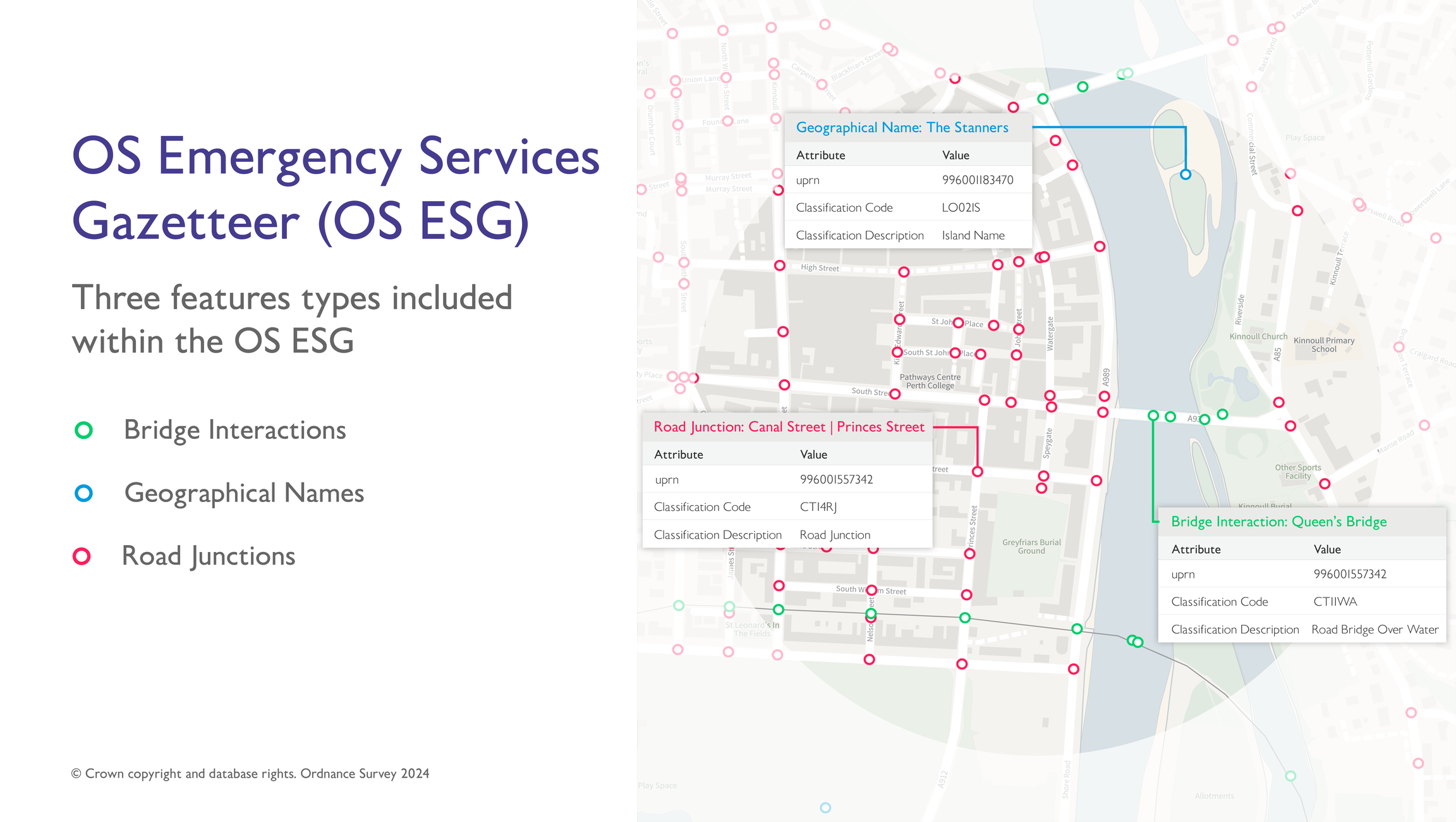
Image showing examples of three of the types of features available in the OS Emergency Services Gazetteer – geographical names, road junctions, and bridge interactions. A background map has been included to provide context.
Image showing examples of three of the types of features available in the OS Emergency Services Gazetteer – geographical names, road junctions, and bridge interactions. A background map has been included to provide context.
| Cover image | ||||
|---|---|---|---|---|
| OS MasterMap Product Viewer | Interactive demonstrator of OS MasterMap Generation data | VectorMap-Local-1.png | https://experience.arcgis.com/experience/20981dabcb14402687dccb437a4a78fb/ |
| Cover image | |||
|---|---|---|---|
OverviewThe overview introduces the OS ESG and gives context for all users – highlighting key features, providing examples of potential uses, and listing details such as supply formats, currency, etc. | bridges-01.png | https://docs.os.uk/os-downloads/products/addresses-and-names-portfolio/os-emergency-services-gazetteer/os-esg-overview | |
Getting Started GuideThe getting started guide provides instructions for using the OS ESG in different software applications. Users with limited technical knowledge will be able to follow this guide. | sites1-01.png | https://docs.os.uk/os-downloads/products/addresses-and-names-portfolio/os-emergency-services-gazetteer/os-esg-getting-started-guide | |
Technical SpecificationThe technical specification provides detailed technical information about the OS ESG. It is targeted at technical users and software developers. | junctions-01.png | https://docs.os.uk/os-downloads/products/addresses-and-names-portfolio/os-emergency-services-gazetteer/os-esg-technical-specification | |
FAQsThe FAQs section answers common questions users may have about the OS ESG. It offers quick responses to frequent queries customers have about this product. | vernacular-01.png | https://docs.os.uk/os-downloads/products/addresses-and-names-portfolio/os-emergency-services-gazetteer/os-esg-faqs | |
DownloadsThe downloads page provides links and resources to support the application of OS ESG within your environment. | vernacular-01.png | https://docs.os.uk/os-downloads/products/addresses-and-names-portfolio/os-emergency-services-gazetteer/os-esg-downloads | |
Ordnance Survey Website | View OS Emergency Services Gazetteer product information and find out how to get this product on the OS website. | https://www.ordnancesurvey.co.uk/products/os-emergency-services-gazetteer |


