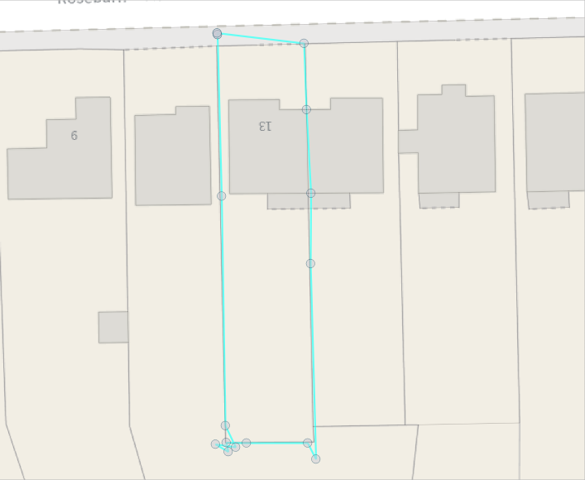
Snapping is a technique which can be used when capturing or editing spatial data. It involves the snapping the node of a feature you are editing to another node on an existing feature.
It is predominantly done at the node level (start point, endpoint, and any directional change point) and is often used alongside tracing.
It is often used when copy and paste isn’t an option and is really good for continuous linear features e.g. Public Rights of Way (PRoW), Local Street Gazetteer and Utilities.
This polygon has been captured without snapping to the underlying geometry
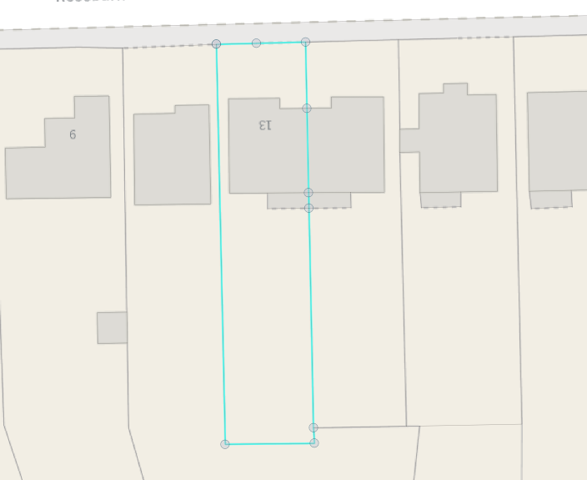
This polygon has been captured by snapping to the underlying geometry
What is Tracing?
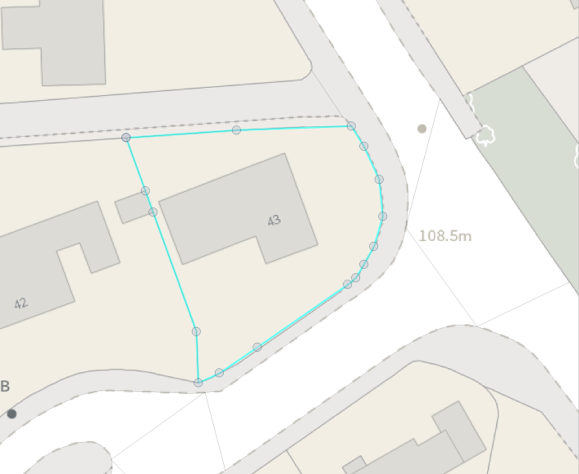
Tracing is another technique which can be used when capturing or editing spatial data. Instead of clicking on the nodes of the underlying feature the software creates features or segments which follow the shape of the existing underlying features.
This is especially useful for replicating complex features (or segments) and curves and is often used alongside snapping.
It is used when copy and paste isn’t an option due to not needing a complete feature or needing multiple features and is really handy for capturing accurate property extents e.g. red line edges, asset management, legal agreements, polling districts.
This polygon has been captured without tracing the underlying geometry
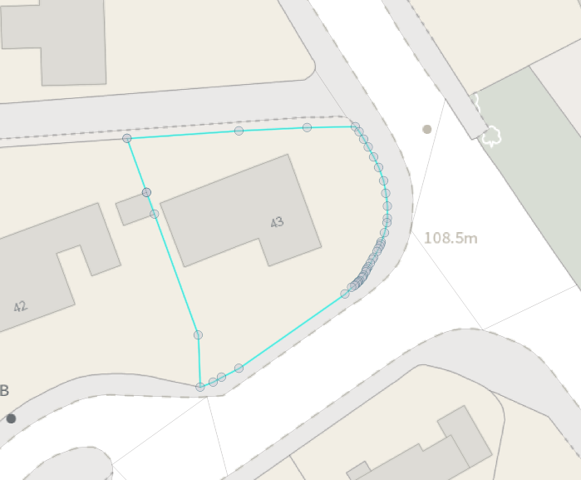
This polygon has been captured by tracing the underlying geometry as can be seen in the curve on the right
Snapping and Tracing together
Snapping and tracing can be used together.
It allows for the capture of even more complicated geometries.
Really useful when needing all or parts of multiple features.
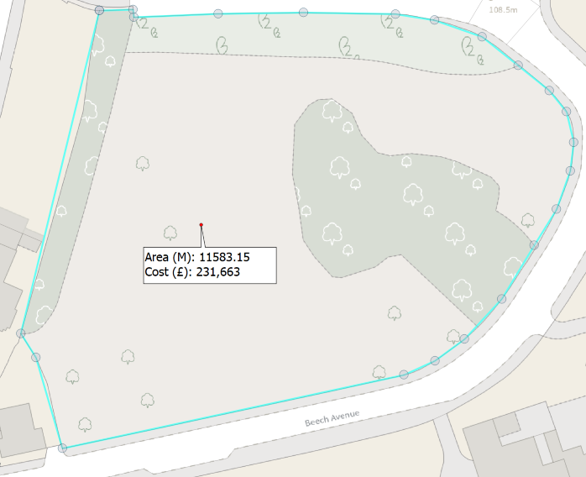
A site-based example
the non-snapped and traced polygon is less well defined and results in a higher cost
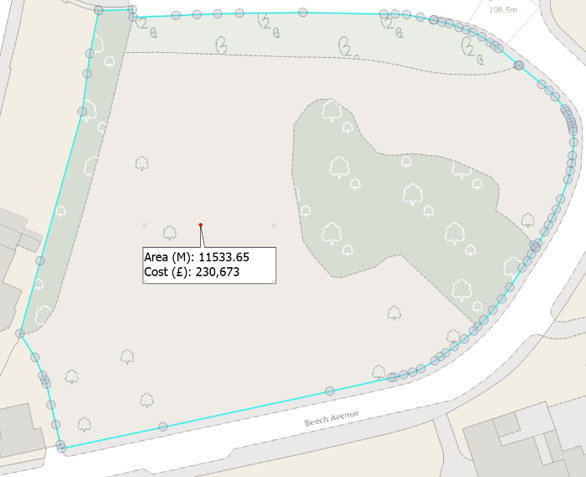
the snapped and traced polygon is more accurately defined and results in a lower cost
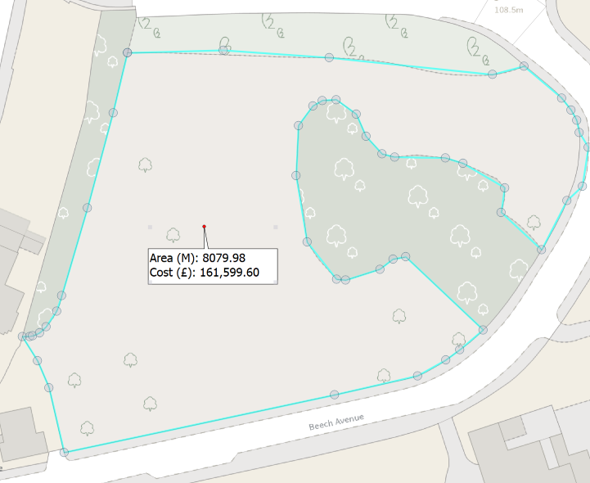
A task-based example
the non-snapped and traced polygon is less well defined and results in a higher cost
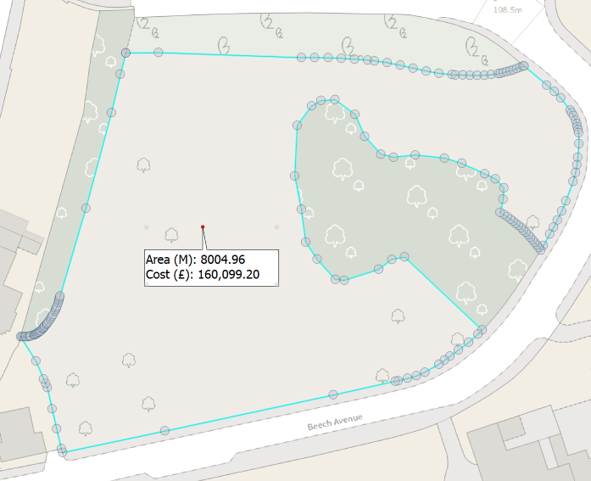
the snapped and traced polygon is more accurately defined and results in a lower cost
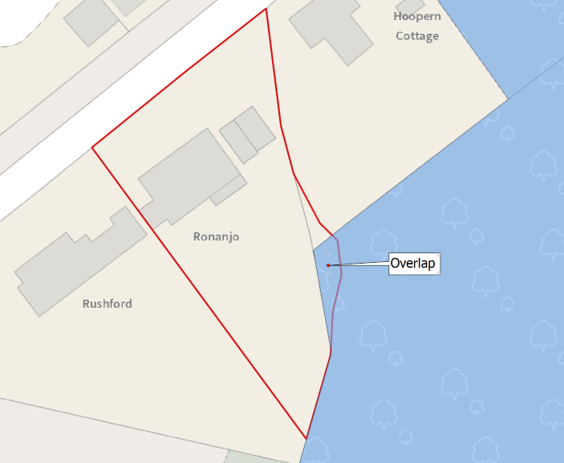
An action-based example
the non-snapped and traced polygon is less well defined and creates an overlap
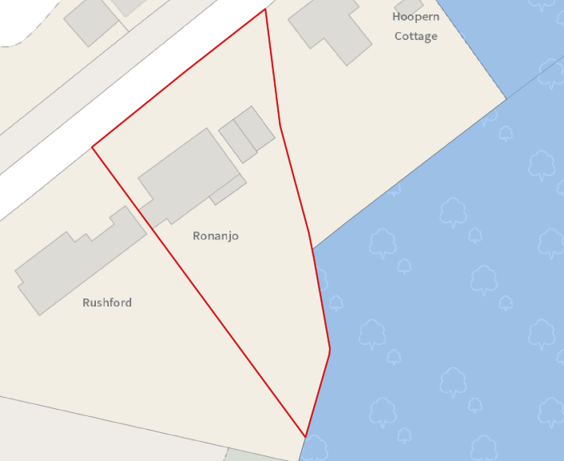
the snapped and traced polygon is more accurately defined
Benefits
Simple to do
No holes, gaps or overlaps in the data
Improves data quality – no self-intersects
This makes the data more accurate
It makes onward use easier
Enables quicker, more accurate decision making
Can save your organisation time and money
Reduced ambiguity – instills confidence
Looks more professional
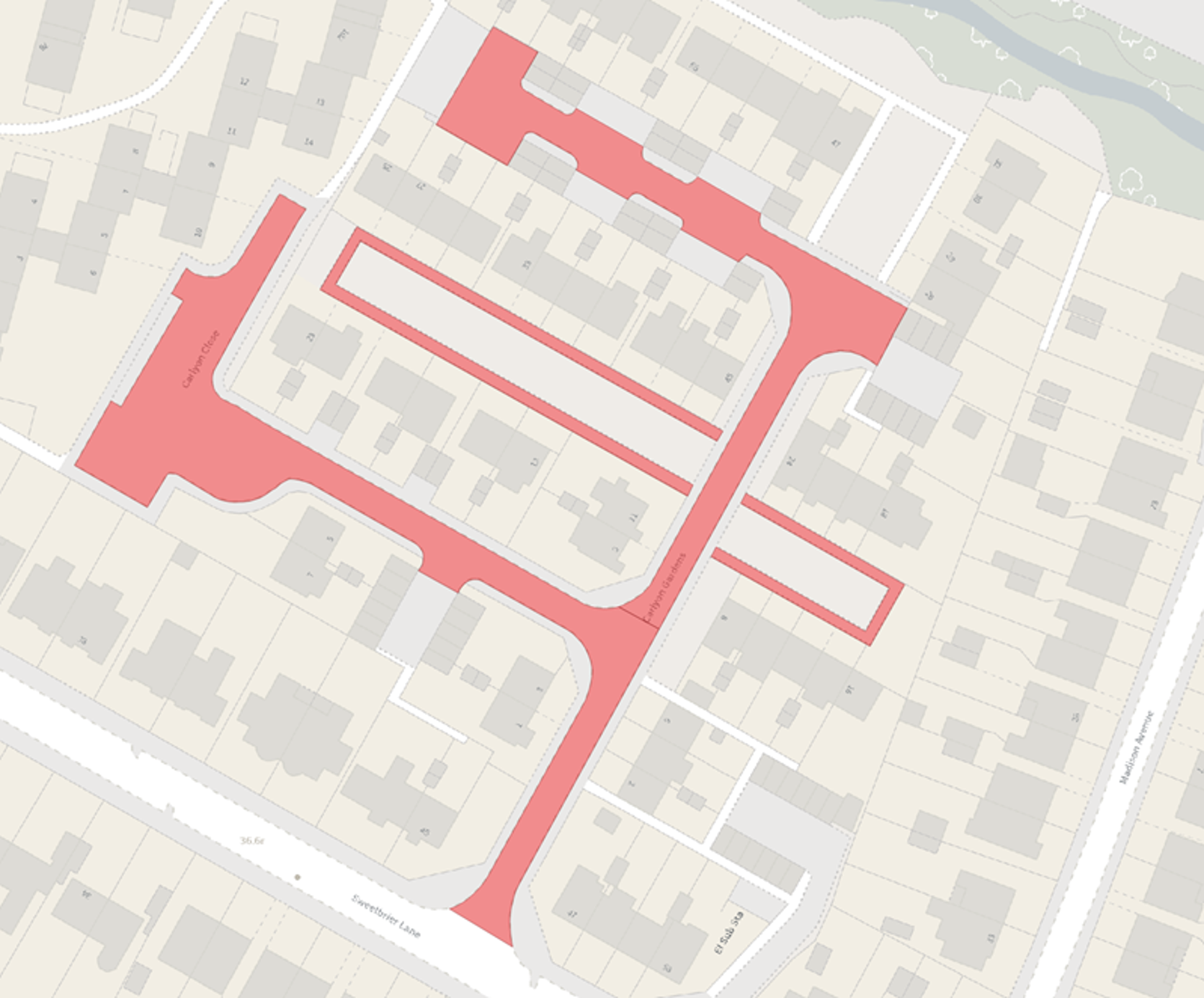
a complex road polygon created by snapping and tracing
This content has been developed from what was originally a Lightning Talk PowerPoint slide set. These slides are available to PSGA members to view and download from the PSGA members area of the OS website